


Piano: Learn & Play Songs
4.8411.00 Reviews
App Specs
- Version
- 3.0.2
- Updated On
- License
- Free
- Downloads
- 10,000,000+
- Developer
- Firehawk
- Categories
- Music & Audio
- Platform
- Android
Screenshots
 Analysis by AppCompare
I’d approach Piano: Learn & Play Songs as a convenient way to explore piano practice, rather than as a replacement for a real instrument or a teacher. It is a music and audio app from Firehawk, and the appeal is easy to understand: lessons and songs bring practice into reach when you have a spare moment. My main advice is to use it as a structured starting point, then judge whether its way of listening and teaching suits your goals before you build your routine around it.
What makes this piano app worth a closer look
The app has been around since March 27, 2013, and its current version is 3.0.2. It is free to install, rated for Everyone, and lists optional in-app purchases ranging from $0.99 to $99.99 per item. That price range is wide enough that I’d check the purchase details carefully before paying for anything; the free entry point makes it easier to try the basic experience first, but it doesn’t tell you which paid options will matter to your own practice.
Its reach is substantial: it has more than 10 million installs, with an average rating of 4.5 from around 31,000 ratings. Those figures suggest that many people have found it useful, but they can’t tell me whether the listening feedback works well for every device, room, or playing style. I’d treat popularity as a reason to investigate, not a promise that it will teach you exactly the way you want.
Trust is especially relevant for a learning app that listens while you play. I look for clear choices around permissions, account access, and how personal information is handled before becoming a regular user. I wouldn’t assume anything about those practices from the app’s popularity or its music-learning purpose; I’d review the permission prompts and privacy information shown during installation and in the app, then decide what I’m comfortable enabling.
Making the lessons fit real practice
If you’re new to piano, the most useful way to begin is with a short, repeatable session rather than trying to rush through a long lesson. The original experience offers a quick tutorial and breaks pieces into smaller sections, which gives you a natural way to work: learn a small passage, repeat it slowly, and move on only when your hands feel more settled. That approach is more realistic than expecting an app to turn a first session into fluent playing.
For example, you might use a quiet stretch after dinner to practise one section, then return to it the next day before trying something new. If the app’s feedback says a note or passage needs work, I’d use that as a prompt to listen carefully and check my hand position, not as the sole judge of whether I played musically. A phone or tablet can make practice accessible, but it can’t fully replace the feel of keys, posture guidance, or the personal correction a teacher can offer.
The listening-based feedback is one of the more practical parts of the learning experience, but it also creates a trade-off. Background noise, a low speaker volume, or a setup that makes the notes hard to hear can make practice less comfortable. I’d try a simple test in a quiet room before deciding how much to rely on the feedback, and I’d keep an external keyboard or acoustic piano available if my goal is to build technique beyond tapping along on a screen.
Worth Reading Before You Choose

EA SPORTS FC Mobile 26 Is a Bigger Football Game, but It Takes Time

Flipboard Shows What News Apps Must Do Beyond the Feed

Switching to Android Auto Means Rethinking Your Driving Routine

Google Calendar Makes a Crowded Week Easier to Manage

Ludo King Makes the Most of the Minutes Between Plans

Baby Panda World Brings Quick Play to Modern Phones, but Its Game Library Feels Busy
Choosing songs without getting stuck
The library’s mix of classical and pop gives the app a useful entry point for different tastes. Familiar music can make repetition less of a chore, while a simpler arrangement can help you focus on rhythm and note changes before taking on a more demanding version. A practical tip is to pick a song you genuinely enjoy, but choose a difficulty that lets you make steady progress rather than one that turns every attempt into a frustrating test.
Song choice also affects what you learn. A melody-led piece can be satisfying early on, while more involved arrangements may ask for better coordination and patience. I’d treat the difficulty setting as a way to pace that challenge, not as proof that a simplified version teaches every skill needed for the full arrangement. If your aim is to read traditional notation, develop hand independence, or prepare a particular piece for performance, you may need lessons or practice materials designed specifically for that goal.
Where it fits among piano-learning options
Compared with a video lesson, an interactive piano app can make it easier to practise in small chunks and get an immediate response while you play. A video may be better when you need to watch hand movement or hear a teacher explain an idea at length; a private teacher can also spot posture and technique issues that an app cannot assess in the same way. The app’s strongest role is as a convenient practice companion, especially for someone who wants song-based learning and a clear next step.
It is less suited to someone who already has a strict curriculum, needs detailed feedback on technique, or wants a complete substitute for learning with a physical keyboard. If you only want background music or a simple piano simulator, a lightweight keyboard app may be faster to open. If you want to build durable playing habits, I’d pair this one with time at real keys and occasional guidance from a person who can hear and see how you play.
Getting Started: First Impressions
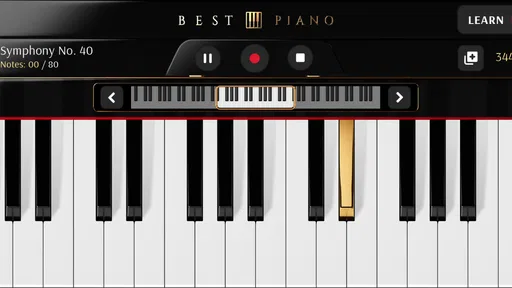
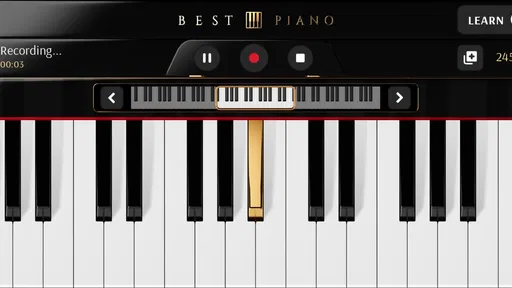
The first thing I noticed when I opened Piano: Learn & Play Songs was the sleek and intuitive design. Everything feels like it’s in the right place, and you don’t need a map to find your way around. The app offers a quick tutorial when you first sign in, which is a nice touch for newbies like me who might be a bit overwhelmed by all the features.
The setup is straightforward, and within minutes, I was ready to dive into my first lesson. The app offers a variety of songs and lessons, catering to all skill levels. So whether you’re a complete beginner or someone looking to polish their skills, there’s something here for you.
Diving Into the Lessons
One of the standout features is the wide array of lessons available. The app breaks down complex pieces into manageable sections, making it easier to learn bit by bit. I started with some basic tunes to get the hang of things, and before I knew it, I was playing along to songs I love.
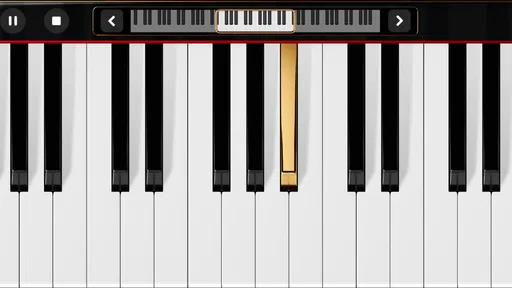
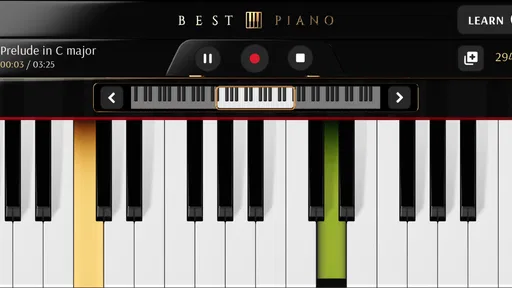
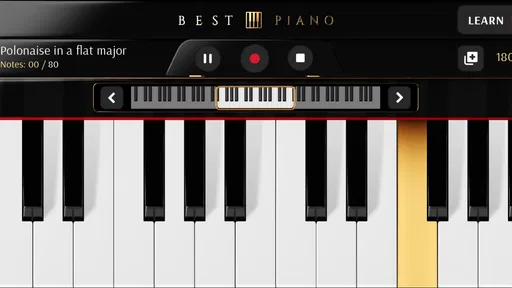
The lessons are interactive, which really helps in keeping you engaged. The app listens to your playing and gives real-time feedback, so you know exactly where you need to improve. It’s like having a personal coach guiding you every step of the way.
Song Library: Something for Everyone
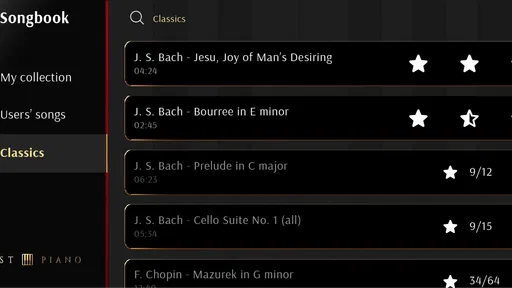
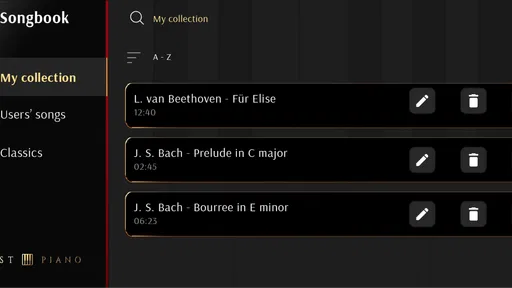
The song library is pretty impressive. From classical pieces to pop hits, there’s a broad selection to keep you entertained. I had a blast exploring different genres and discovering new favorites. Plus, the app regularly updates its library, so there's always something new to learn and play.
One cool feature is the ability to adjust the difficulty level of songs. If you're not quite ready for the full version, you can start with a simplified arrangement and work your way up. It’s a great way to build confidence and skills at your own pace.
User Experience: Smooth and Enjoyable
The app runs smoothly without any noticeable glitches, which is crucial when you're trying to focus on learning. The graphics are crisp, and the sound quality is top-notch, making the overall experience enjoyable.
I also appreciate the friendly community aspect of the app. You can share your progress with friends and even compete in challenges. It adds a fun, social element that keeps things interesting and motivates you to keep practicing.
Final Thoughts
Overall, Piano: Learn & Play Songs is a fantastic tool for anyone looking to learn piano or enhance their skills. With its user-friendly interface, comprehensive lessons, and vast song library, it offers a well-rounded experience for pianists of all levels.
Whether you’re picking up the piano for the first time or looking to expand your repertoire, this app provides the guidance and resources you need to succeed. So why not give it a try? You might just find yourself mastering your favorite tunes in no time!
Keeping control of your setup and spending
Before settling into a daily routine, I’d take a moment to make deliberate choices rather than tapping through every prompt. Check what permissions the app requests on your device, and allow only what makes sense for the way you intend to use it. If an account or social feature is presented, decide whether you actually need it; sharing progress and joining challenges can be motivating, but they are optional reasons to use a learning tool, not prerequisites for practising piano.
I’d also make the first session a low-stakes trial: try a basic lesson, see whether the app recognizes your playing in your usual practice space, and explore the song difficulty controls before considering a purchase. Since optional items have a broad listed price range, the useful question is not simply whether an upgrade exists, but whether it solves a specific problem you have encountered. If the free experience already supports your routine, there is no reason to buy something just because it is visible.
For a shared family tablet, I’d be especially careful about who can make purchases and whether the device’s account settings require confirmation. The Everyone age rating makes the app broadly suitable in content terms, but that does not remove the need for an adult to review purchase controls and privacy choices for a child. I’d keep those decisions at the device level clear before handing over a screen for unsupervised practice.
A realistic routine, and when I’d choose something else
Picture a beginner with ten minutes free before leaving for work. They can open the app, revisit a short section they struggled with yesterday, and use the feedback to notice whether the same notes are still causing trouble. That is a sensible use: a focused reminder and a small win, rather than a full lesson squeezed into a rushed morning. Later, with more time and a real keyboard, they can work on hand position and sound quality without treating the phone’s response as the whole picture.
For an intermediate player, I’d use the song options to keep practice enjoyable while rotating between a familiar piece and a new challenge. The important trade-off is that familiar tunes can encourage repetition, but repetition alone may not address weak rhythm, tension, or reading habits. I’d pause occasionally, play without looking at the screen, and notice whether the passage is becoming easier to recall and control. That check helps turn app-guided practice into a skill you can carry to an actual instrument.
If you are comparing it with other music-learning apps, focus on the kind of guidance you need rather than the size of a song catalogue. This app’s appeal is the combination of lessons, song practice, adjustable difficulty, and listening feedback. A course organized around music theory may be a better fit if you want systematic explanations; video instruction may help more if seeing a teacher’s hands is essential; and a human instructor is the stronger choice when technique, posture, or a specific performance goal needs personal attention. No one approach wins for every learner.
A measured recommendation
I’d recommend giving this app a try if you want a friendly, song-centered way to start practising or to add structure between lessons. It is particularly appealing when a short session is more realistic than travelling to a class or setting aside a long block of time. I would not recommend relying on it alone if you need detailed technical correction, formal exam preparation, or a guaranteed path through music theory. In those cases, use it as a supplement or choose a more specialized learning route.
The best way to decide is to test the parts that matter to you: whether the tutorial makes sense, whether the listening feedback behaves well in your environment, and whether the song difficulty feels motivating rather than discouraging. Keep your privacy and purchase choices intentional, and let your progress on a physical keyboard—not just a streak or a screen response—tell you whether the practice is paying off. With those expectations, it can be a useful companion, but the learner still has to supply the patience, attention, and hands-on playing that make piano skills stick.
Pros
- User-friendly interface for beginners.
- Wide variety of songs to learn.
- Customizable learning pace.
- Interactive tutorials enhance skills.
- Offline mode for practice anywhere.
Cons
- Limited free content available.
- Occasional ads interrupt sessions.
- Requires stable internet for updates.
- Advanced features locked behind paywall.
- Some songs missing from library.
FAQs for Piano: Learn & Play Songs
What features does Piano: Learn & Play Songs offer?
Piano: Learn & Play Songs provides a comprehensive learning experience with features like interactive lessons, a vast library of songs across various genres, and real-time feedback. It also includes tutorials for beginners, practice modes, and a virtual keyboard. The app supports both sheet music and visual guides to enhance learning.
Is Piano: Learn & Play Songs suitable for beginners?
Yes, the app is designed to cater to all skill levels, including beginners. It offers step-by-step tutorials and simplified songs to help newcomers learn at their own pace. The interactive lessons guide users through basic techniques, making it easy for anyone to start playing the piano.
Does the app require an internet connection?
While Piano: Learn & Play Songs can function offline for practicing, an internet connection is necessary to access new songs, updates, and additional learning resources. Online connectivity ensures users can download the latest content and participate in community challenges or leaderboards.
Are there any in-app purchases or subscription fees?
Piano: Learn & Play Songs offers a free version with limited features. For full access to the song library, advanced lessons, and additional features, users can opt for in-app purchases or a subscription. Pricing varies based on the plan, providing flexibility for different user needs.
Can I connect my digital piano or keyboard to the app?
Yes, the app supports MIDI connectivity, allowing users to connect their digital piano or keyboard for a more immersive learning experience. This feature enables real-time feedback and tracking of progress, making it easier to identify areas for improvement and enhance practice sessions.


